
The field companion to CORE-GS HUB — record data on site, of virtually any type, and sync it straight back to the office. Already covered by your floating licences — no additional licence required.


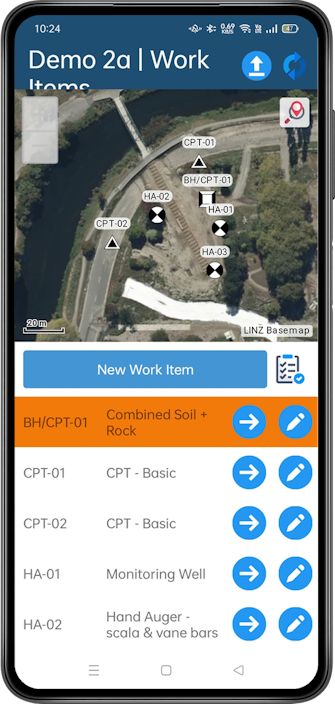
CORE-GS MOBILE was created to bring many of the tools our users rely on in the office to Android and iOS devices, so teams can collect data electronically in the field.
A key goal was to carry the familiarity of the desktop across to mobile — making data navigation and input simple, and providing seamless transfer back to the office. It provides everything needed to quickly record data on site, from subsurface investigations through to monitoring.
View work items and update their location directly via the map control.
See all data associated with a work item in one place, and use the Navigator to quickly find tables or create new data.
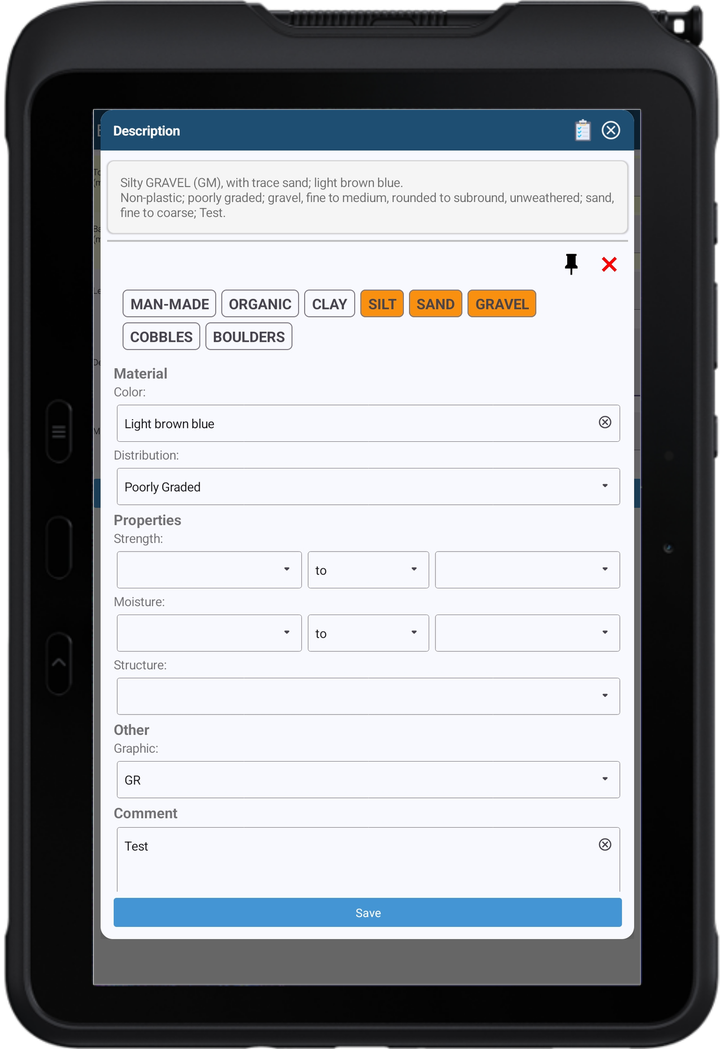
Concentrate on the properties of a material and let the Description Builder handle the text formatting (NZGS / AS 1726). Supports soil, rock and discontinuity descriptions.
Makes entering DCP / Scala data as simple as possible — enter the blows and save, and the depth of the next record is added automatically.
Avoid depth overlaps and gaps in your data, and reduce data entry, with the Continuous Range process.
Capture work item photos from any view, ready for transfer back to the office.
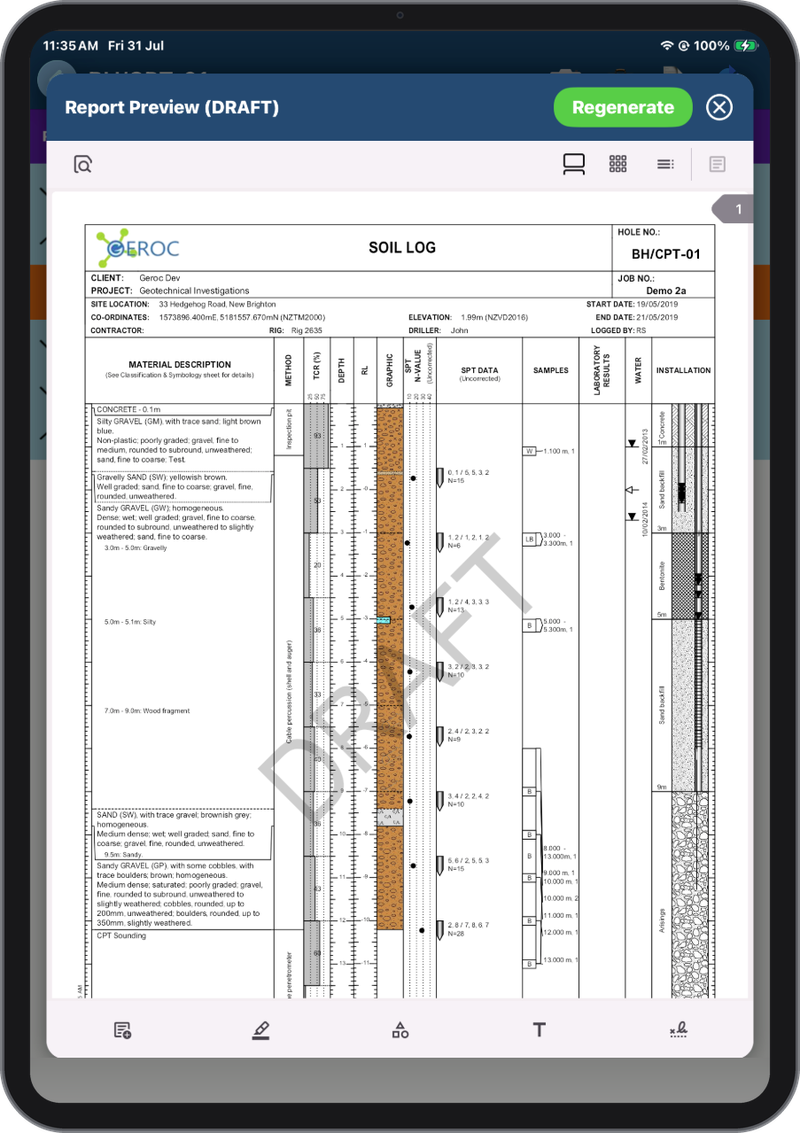
Preview a report from your data on the device, before you leave site — so you can check what you’ve logged reads correctly while you’re still in a position to do something about it.
The Description Builder is an integral part of CORE-GS. It standardises the description of materials and discontinuities via forms — avoiding the need to input data in wide tables such as those in AGS 4.1.1 AU 1.2.
Report Preview brings the office’s report templates out into the field. Check the exact report you’d produce back in CORE-GS HUB — the same template, drawn from your data — before you leave site.
Data syncs with the desktop through bi-directional synchronisation of both data and settings, so site and office always work from the same information. Where needed, data can also be exported in XML format.

If you hold floating licences, CORE-GS MOBILE is already covered. Nothing extra to buy, nothing extra to set up — hand a device to a crew and they’re working.
A device checks out a licence from your pool for offline use and returns it when the user releases it. No separate mobile licence, no extra cost.
Useful in two cases: you hold machine licences, which don’t cover mobile; or you’d rather field staff didn’t draw on the pool the office needs at the same time.
Data held locally on a device is still your data, and securing the device is your responsibility — worth building into your field IT policy. How licensing works
Book a demo and we’ll show you how mobile capture flows straight into the office.